

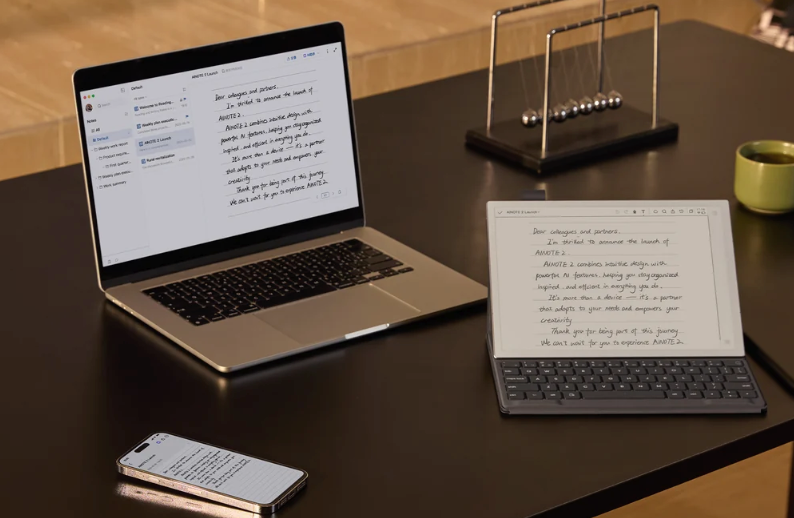
The best digital paper tablets for capturing ideas, reviewing documents and turning conversations into useful follow-up.
The best E Ink tablet for meetings is the iFLYTEK AINOTE 2. It combines a large paper-like writing surface with recording, real-time transcription, AI-generated meeting summaries and follow-up tools, so it handles more of the meeting lifecycle than a conventional digital notebook. The reMarkable Paper Pure is the better choice if distraction-free handwriting matters more than voice capture, while the BOOX Note Air5 C is the most flexible option for Android apps and color documents.
E Ink tablets make a lot of sense in a meeting room. They are easier on the eyes than conventional tablets, their batteries tend to last much longer and their muted screens invite fewer distractions. Most of them are also genuinely pleasant to write on. The catch is that “good for note-taking” and “good for meetings” are not quite the same thing.
A writing-first tablet can preserve the points you chose to put on the page. A meeting-first tablet should also help with the details you did not have time to write, the decisions that need checking and the actions that have to happen next. That distinction shaped every pick in this guide.
Best E Ink tablets for meetings in 2026
| Best for | Product | Display | Weight | Meeting advantage | Main limitation | Price at publication |
|---|---|---|---|---|---|---|
|
Best overall
|
iFLYTEK AINOTE 2
|
10.65-inch monochrome, 300 PPI
|
295 g
|
Native recording, transcription, summaries and follow-up workflow
|
Premium price; some AI functions depend on a network or plan
|
$552 sale; $649 regular
|
|
Handwritten meeting notes
|
reMarkable Paper Pure
|
10.3-inch monochrome, 226 PPI
|
360 g
|
Focused interface and strong paper-like writing
|
No native meeting recording or transcription workflow
|
From $399
|
|
Android apps and color
|
BOOX Note Air5 C
|
10.3-inch Kaleido 3 color
|
440 g
|
Google Play, microphone, color documents and broad file support
|
More setup and more distractions than focused notebooks
|
$499.99
|
|
Long-term note organization
|
Supernote Manta
|
10.7-inch monochrome, 300 PPI
|
About 375 g
|
Headings, keywords, links and repairable design
|
No front light; not built around meeting transcription
|
From $505
|
|
Reading and meeting prep
|
Amazon Kindle Scribe, 3rd generation
|
11-inch monochrome
|
400 g
|
Excellent reading ecosystem, document markup and AI notebook search
|
Voice capture and meeting transcription are not the focus
|
About $500 with front light
|
|
Portable meeting capture
|
iFLYTEK AINOTE Air 2
|
8.2-inch monochrome, 293 PPI
|
230 g
|
Compact recording, transcription and summary workflow
|
Smaller canvas and no offline transcription
|
$399 sale; $499 regular
|
Prices and service plans can change. Check the current configuration before buying.
Best E Ink tablet for meetings overall
iFLYTEK AINOTE 2
Key specifications: 10.65-inch monochrome E Ink display, 300 PPI, 295 g, 4GB RAM, 64GB storage, 4000mAh battery, four-microphone array, Wi-Fi, Google Play and APK support, passive EMR stylus included.
The iFLYTEK AINOTE 2 earns the top spot because it treats a meeting as more than a blank page. You can write by hand while the device records and transcribes the conversation, then use the resulting material to create structured meeting minutes. That keeps handwriting, audio, transcript and summary within one reviewable workflow.
This changes how you take notes. Instead of trying to capture every sentence, you can write the things that require human judgment: a concern in someone’s tone, a rough diagram, the reason behind a decision or the question you want to ask next. The transcript preserves more of the spoken context, while your handwriting marks what mattered to you in the moment.
The advantage becomes clearer after the call ends. AINOTE 2 can turn meeting content into a structured summary with topics, decisions, action items and follow-ups. You should still check names, figures, deadlines and ownership before sharing anything, but beginning with a draft is more useful than staring at several pages of hurried handwriting and reconstructing the discussion from memory.
The hardware suits that workflow, too. Its 10.65-inch screen is large enough for an agenda, handwritten notes and document annotation without feeling like a full laptop. At 4.2 mm thick and 295 g, the tablet is unusually light for its writing area. The passive EMR pen does not need charging, and the matte surface is designed to provide paper-like resistance.
AINOTE 2 is also the strongest option here for multilingual meetings. It supports real-time transcription in 18 languages and translation across 14 languages. Offline transcription gives it another practical advantage when a conference room has an unreliable connection or travel takes you away from dependable Wi-Fi. That does not mean every AI feature works offline, so buyers should check the current service terms if offline use is central to the purchase.
Google Play and APK support make the device more flexible than a closed digital notebook. Calendar and task-related tools can help move useful outcomes into the rest of your work, while companion software supports access beyond the tablet. The trade-off is that a more capable system introduces more choices than a deliberately minimal device.
There are two other caveats. First, this is a premium professional tool, not a bargain e-reader. The regular price is $649 with the stylus, although the device was discounted to $552 when this guide was updated. Second, recording a meeting always requires judgment. Applicable law, company policy and the expectations of the people in the room still matter, regardless of what the hardware can do.
If you are deciding between the two sizes, the AINOTE 2 and Air 2 meeting guide explains the practical trade-offs. There is also a closer look at AINOTE 2’s meeting workflow for buyers who want more detail before choosing it as a primary work notebook.
Pros
- Native handwriting, recording and real-time transcription in one device
- Structured meeting summaries, decisions and action items
- Offline transcription support
- 18 transcription languages and 14 translation languages
- Large 300 PPI writing surface in a thin, 295 g body
- Stylus included
- Google Play and APK support
Cons
- Expensive for occasional note-taking
- Some AI, sync and model capabilities require connectivity or a service plan
- Monochrome display
- AI-generated records still need human review
Who should buy it: Meeting-heavy professionals who want one device for handwriting, voice capture, transcription, summaries and follow-up.
Who should skip it: Buyers who only need handwritten notes or ebook reading and do not expect to use the meeting workflow regularly.
Best for distraction-free handwritten meeting notes
reMarkable Paper Pure
Key specifications: 10.3-inch monochrome Canvas display, 226 PPI, 360 g, 32GB storage, up to three weeks of battery life based on one hour of daily note-taking, Wi-Fi, Marker included.
The reMarkable Paper Pure is the successor that makes the long-running appeal of the reMarkable 2 easier to recommend in 2026. It keeps the idea simple: open a notebook, put the pen down and write without an app grid, notifications or a conventional tablet interface competing for your attention.
That simplicity works particularly well in meetings where recording is inappropriate or unnecessary. The 10.3-inch matte-glass display gives agendas and handwritten pages enough room to breathe, and the software is easy to understand. Notes can be organized into notebooks, converted to typed text and moved between the tablet and reMarkable’s desktop or mobile tools.
Paper Pure also closes some of the gap between a blank notebook and a meeting workflow. With the Connect subscription, its Meeting Notes Tool can prepare a page with calendar details, handwriting search can find material across notes and AI-powered conversion can turn annotations into summaries or next steps. Those features are useful, but they begin with what you wrote. There is no native equivalent to AINOTE 2’s integrated recording and real-time transcription.
The new hardware improves meaningfully on reMarkable 2. The company rates it as 50 percent faster, with 20 percent higher display contrast and up to three weeks of battery life. The standard $399 configuration includes the Marker, which also makes the headline price easier to understand than older bundles that required a separate pen.
The main purchasing question is whether minimalism is the feature you value most. Paper Pure is excellent at keeping the page calm. It is less suitable if you want the device to preserve the full spoken conversation or create meeting minutes from a recording. Some cloud, search, integration and AI features also sit behind Connect, so compare the recurring cost rather than looking only at the tablet price.
Pros
- Clean, low-distraction interface
- Strong paper-like writing experience
- Marker included
- Up to three weeks of battery life under the stated test condition
- Useful calendar preparation, handwriting search and AI tools with Connect
- Straightforward desktop and mobile workflow
Cons
- No native voice recording and real-time meeting transcription workflow
- Connect is required for several advanced cloud and AI features
- No front light
- Limited app ecosystem
Who should buy it: People who want a polished replacement for a paper meeting notebook and prefer focus over automation.
Who should skip it: Anyone who needs a searchable record of what was said, not only what was written.
Best for Android apps and color
BOOX Note Air5 C
Key specifications: 10.3-inch Kaleido 3 color E Ink display, 300 PPI in black and white and 150 PPI in color, 440 g, 6GB RAM, 64GB storage plus microSD, Android 15, Wi-Fi, Bluetooth 5.1, adjustable front light, microphone, dual speakers, Pen3 included.
The BOOX Note Air5 C is the closest thing in this guide to a conventional Android tablet built around an E Ink screen. It has Google Play, third-party apps, a web browser, a microphone, a front light, split-screen tools and broad document support. For teams whose meeting workflow already lives in Android apps, that flexibility can be more valuable than a tightly controlled notebook system.
Color is the other reason to choose it. The Kaleido 3 display can show 4,096 colors, which makes charts, highlights, diagrams and color-coded project notes easier to interpret than they are on a monochrome panel. Black-and-white content reaches 300 PPI, while color content is rendered at 150 PPI. That is normal for this display technology, but it also means color will look softer and more muted than it does on an LCD or OLED tablet.
BOOX’s native Notes app offers handwriting tools, templates and handwriting recognition, while NeoReader handles a wide range of document and ebook formats. The Note Air5 C can also pair with a magnetic keyboard cover, and the built-in microphone means voice recording is possible. More specialized transcription or meeting services can be installed from Google Play.
The flexibility comes with two costs. First, the experience depends on how well each Android app behaves on E Ink. Apps designed for fast animation and constant scrolling may require display tuning and will never look exactly like they do on a conventional screen. Second, the abundance of settings, refresh modes and apps creates a steeper learning curve. A focused notebook gets out of your way; the BOOX rewards people who are willing to configure it.
Pros
- Android 15 with Google Play
- Useful color display for charts, highlights and diagrams
- 6GB of RAM, microSD expansion and wide file-format support
- Front light, microphone and speakers
- Stylus included
- Optional keyboard cover
Cons
- More complicated to configure than focused E Ink notebooks
- Third-party apps vary in how well they work on E Ink
- Heavier than AINOTE 2, Paper Pure and Air 2
- Color resolution and saturation are limited compared with conventional tablets
Who should buy it: Android users who want maximum app choice, color documents and the freedom to assemble their own meeting workflow.
Who should skip it: People who want one simple, native path from recording to transcript, summary and action items.
Best for organizing long-term handwritten meeting knowledge
Supernote Manta
Key specifications: 10.7-inch monochrome flexible E Ink display, 300 PPI, about 375 g, 4GB RAM, 32GB storage with microSD expansion, Wi-Fi, Bluetooth, replaceable battery and modular components; pen sold separately.
Many digital notebooks are good at capturing a page and less convincing when you need to find one important idea six months later. The Supernote Manta is built around that second problem. Headings create structure inside a note, keywords and stars act as an index, and links connect one page to another. For recurring project meetings or long-running client work, those tools can turn a pile of notebooks into a navigable knowledge system.
The 10.7-inch, 300 PPI display is spacious enough for detailed notes and PDF annotation. Supernote’s FeelWrite 2 surface has a softer writing character than textured glass, and the company’s ceramic-nib pens are designed not to require replacement tips. The flexible display and modular construction are also unusual in a category where many devices are difficult to repair; the battery, motherboard and storage can be accessed for service or upgrades.
Manta does not chase every tablet feature. There is no front light, and its best qualities revolve around handwriting, organization and deliberate review rather than native voice transcription. Email, calendar, to-do, Word and sync functions are integrated, and offline handwriting recognition is supported, but buyers looking for automatic meeting minutes from a recording will need a different workflow.
The price also needs context. The tablet starts around $505, and a pen and folio can raise the total. In return, the core software does not require a subscription, and expandable storage plus repairable components may matter to anyone planning to keep the device for years.
Pros
- Excellent tools for headings, keywords, links and long-term note navigation
- Large 300 PPI writing surface
- Flexible display and modular, repairable construction
- microSD expansion
- Offline handwriting recognition
- No subscription required for core software
Cons
- No front light
- Pen adds to the total cost
- Not centered on native meeting recording and transcription
- Less suitable for users who want a broad app store
Who should buy it: People who revisit years of handwritten project, client or research notes and want better internal structure.
Who should skip it: Buyers whose main objective is automatic transcription and post-meeting summaries.
Best for meeting prep, reading and document review
Amazon Kindle Scribe (3rd generation)
Key specifications: 11-inch glare-free monochrome display, 400 g, 5.4 mm thick, Wi-Fi, front light, Premium Pen included, Kindle library access, Google Drive and Microsoft OneDrive support.
The third-generation Kindle Scribe is the best fit when most of the work happens before the meeting. Its 11-inch display is well suited to reading reports, proposals and long documents, while the Kindle ecosystem remains the easiest way to carry a large library of books and reference material on one device.
The redesigned Scribe is thinner, lighter and faster than the previous generation. It also has a more useful document workflow: Google Drive and Microsoft OneDrive support make it easier to import files for markup and export annotated PDFs, while OneNote export gives handwritten material somewhere to go afterward. Quick Notes and an updated home screen reduce the time it takes to open a blank page when a conversation starts.
Amazon’s AI notebook tools can search across notebooks, summarize results and handle follow-up questions. Those features make a set of written notes easier to revisit, but this is still a reading-first product. It does not provide the integrated microphone, live transcription and meeting-minutes workflow that puts AINOTE 2 at the top of this list.
That distinction is important because “AI notes” can mean two different things. The Scribe’s AI works with the material in your notebooks. A meeting-first device can also preserve and process the spoken conversation. If you mainly prepare by reading and then write a page of notes in the room, the Scribe is a strong fit. If the words spoken in the meeting are the primary record, it is not.
Pros
- Excellent 11-inch display for reading and full-size documents
- Large Kindle content ecosystem
- Premium Pen included
- Google Drive, Microsoft OneDrive and OneNote workflows
- AI-powered notebook search and summaries
- Front light
Cons
- Reading remains the product’s center of gravity
- No integrated live meeting transcription workflow
- Notebook organization is less specialized than Supernote’s
- The front-lit model is expensive
Who should buy it: Professionals who read heavily, mark up documents and take selective handwritten notes in meetings.
Who should skip it: People who need voice capture, transcripts and structured meeting minutes.
Best portable E Ink tablet for meetings
iFLYTEK AINOTE Air 2
Key specifications: 8.2-inch monochrome E Ink display, 293 PPI, 230 g, 4GB RAM, 32GB storage, 2600mAh battery, four-microphone array, adjustable front light, rear camera, speaker, Wi-Fi, APK support, passive EMR stylus included.
The iFLYTEK AINOTE Air 2 brings much of the larger model’s meeting logic to a device that is easier to carry. At 230 g, it is lighter than every other tablet in this guide, and its 8.2-inch screen is better suited to commuting, client visits, interviews and field work than a large 10- or 11-inch panel.
Air 2 can record meetings, provide real-time transcription, translate supported languages and create AI summaries. Handwriting, transcript and audio remain connected, so you can tap back into context rather than treating a recording as a separate file. A rear camera can capture documents for OCR-related workflows, while the adjustable warm and cool front light makes the device more practical in dim rooms.
The compact size is both the advantage and the compromise. It is comfortable to hold and easy to put in a small bag, but a dense agenda, a large diagram or a full PDF page will feel more constrained than it does on AINOTE 2. Air 2 also does not support offline transcription. If unreliable connectivity is a recurring part of your work, choose the larger model.
At $399 with the stylus at the time of publication, Air 2 is also the least expensive route into AINOTE’s meeting workflow. It is a better value for mobile capture, but AINOTE 2 remains the stronger primary notebook for people who spend much of the week in meetings.
Pros
- Extremely light and portable
- Native recording, real-time transcription and AI summaries
- Adjustable front light
- Rear camera for document capture
- Stylus included
- Lower price than AINOTE 2
Cons
- Smaller writing and document-review area
- No offline transcription
- 32GB storage
- APK support is less convenient than AINOTE 2’s built-in Google Play access
Who should buy it: Mobile professionals who need meeting capture during travel, site visits, interviews or commutes.
Who should skip it: People who want a large primary work notebook or require offline transcription.
How we chose the best E Ink tablets for meetings
The most useful meeting tablet is not necessarily the one with the longest specification sheet. We compared each device across the work that happens before, during and after a conversation.
Meeting capture
We looked at the writing surface, stylus, audio hardware and whether handwriting can remain connected to the spoken context. A microphone by itself is not enough; the question is whether the recording becomes easier to review.
Transcription and post-meeting work
Native real-time transcription, language support, summaries, decisions, action items and search received more weight than generic AI labels. We also separated handwriting summaries from systems that can work with a recorded conversation.
Writing and focus
A meeting device should respond quickly, remain legible under office lighting and make it easy to open the right page. Screen texture, display size, interface complexity and distraction level all matter.
Documents and integrations
Meetings rarely begin with a blank page. We considered PDF review, file import and export, cloud services, calendars, tasks, companion apps and access to third-party software.
Portability and battery
A tablet left at home cannot help in a meeting. Weight, size, pen storage and realistic battery conditions affect whether a device becomes part of the daily routine.
Cost and recurring fees
We considered the price of the tablet, whether a stylus is included and whether the most useful cloud or AI features require a subscription.
Privacy, consent and control
Recording capability creates responsibilities. Buyers should be able to understand when cloud processing is involved, what can remain local and which settings or service terms affect the workflow.
What to look for in an E Ink tablet for meetings
Decide whether you need a notebook or a meeting record
If you only want to replace paper, prioritize writing feel, fast navigation and note organization. If you need to recover what people actually said, choose a device with native audio, transcription and a clear review workflow.
Match the screen size to the room
An 8-inch tablet is convenient when you stand, travel or move between locations. A 10- or 11-inch display is more comfortable for agendas, diagrams, split content and full-page documents. Larger is not automatically better if the device becomes too cumbersome to carry.
Check exactly what “AI” means
One tablet may summarize handwriting. Another may search notebooks. A third may transcribe a recording and generate meeting minutes. These are different capabilities, and only the last one starts with the spoken conversation.
Look beyond the headline device price
Check whether the pen, folio and keyboard are included. Then check which features require a subscription, how much cloud storage is available and whether offline functions are tied to a plan.
Treat language support as a specific requirement
“Multilingual” is too vague for international work. Confirm that the language you need is supported for transcription, translation or both. Offline language coverage may be narrower than online coverage.
Be realistic about E Ink
E Ink is excellent for reading, handwriting and reviewing mostly static information. It is less suitable for video, rapid scrolling and animation. Android access can make a device more versatile, but it does not change the physical limits of the display.
Frequently asked questions
What is the best E Ink tablet for meetings in 2026?
The iFLYTEK AINOTE 2 is the best overall E Ink tablet for meetings because it combines handwriting, meeting recording, real-time transcription, AI summaries and follow-up tools in one device. The reMarkable Paper Pure is better for people who only want focused handwritten notes.
Can an E Ink tablet record and transcribe meetings?
Some can. iFLYTEK AINOTE 2 and AINOTE Air 2 have native meeting recording and real-time transcription. Other tablets may offer a microphone, third-party apps or AI tools that work with handwritten notes, but that is not the same as an integrated live transcription workflow.
Which E Ink tablet is best for handwritten meeting notes?
The reMarkable Paper Pure is the most approachable choice for distraction-free handwriting. The Supernote Manta is better when you need headings, keywords and links to organize a long-running archive of meeting notes.
Which E Ink tablet works best with Android apps?
The BOOX Note Air5 C is the most flexible Android option in this guide. It runs Android 15, includes Google Play and supports third-party apps, split-screen work and a wide range of documents.
Which E Ink tablet is best for travel and client visits?
The iFLYTEK AINOTE Air 2 is the best portable meeting option. It weighs 230 g and supports recording, transcription and summaries, but it has a smaller screen and does not support offline transcription.
Do I need permission to record a meeting?
Often, yes. Recording rules depend on local law, company policy and the expectations of the people taking part. Make consent part of the meeting routine and use handwritten notes when recording is not appropriate.
Are AI-generated meeting notes accurate enough to share immediately?
They should be reviewed first. Check names, numbers, dates, specialist terms, decisions and action-item owners against the transcript or audio before treating an AI-generated summary as an official record.
The bottom line
For a meeting-heavy workday, the iFLYTEK AINOTE 2 is the most complete E Ink option in 2026. It preserves the low-distraction writing experience that makes digital paper appealing, but it also tackles the harder part of meetings: recovering context and turning the conversation into reviewed next steps.
Choose the reMarkable Paper Pure if handwriting and simplicity are the whole point. Pick the BOOX Note Air5 C for Android flexibility and color, the Supernote Manta for deeply organized handwritten knowledge or the Kindle Scribe when reading and document preparation come first. For the same meeting workflow in a smaller bag-friendly format, the AINOTE Air 2 is the better travel companion.